O&O DeviceManager
The O&O DeviceManager provides the best possible overview of the installed hardware. It is organized in driver and service management.
- To open the Driver Management function in the O&O DeviceManagement, click Start/Programs/AdministrativeTools and then DriverManager.
- To open the Service Management function in the O&O DeviceManagement, click Start/Programs/AdministrativeTools and then ServiceManager.
Driver management
Driver management can influence the start and stop time of the hard and software drivers. This function is especially helpful if missing drivers prevent the system from starting.
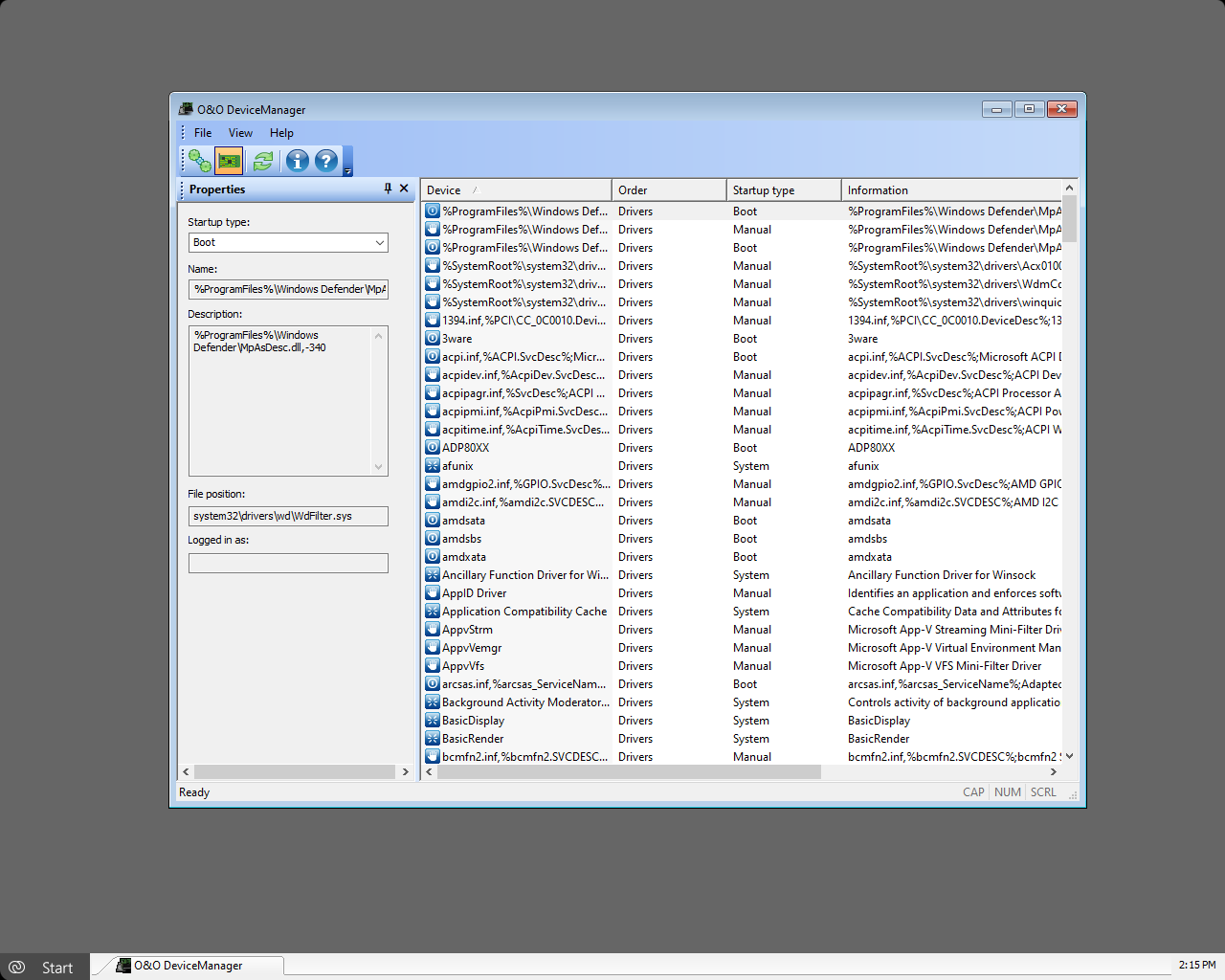
- Select the symbol for the driver management.
- You can now select a driver from the list. You have several options for setting the start time of each driver:
- Disabled: Sets the start mode into disabled. The driver is not loaded. To disable a driver, select it and click disable under start time.
- Boot: Sets the start mode to boot. The device boots before all others. The driver is loaded and started while Windows is booting.
- System: Sets the start mode to system. The device starts after all boot devices have started. The driver is started at a random time by the system. This does not have to be during the system start.
- Auto: Sets the start mode to automatic. The device starts after all boot and system devices have been started.
- Manual: Sets the start mode to manual. The device does not start automatically. The user can start it manually after login.
Service management
You can find Services next to the Driver Management icon in the toolbar. The Service Management function in the O&O DeviceManager can customize the startup type of Windows services. This means defective or superfluous services can be disabled, thereby making a new system start possible. Proceed in the same way as with Driver Management.