O&O SystemInfo
With O&O SystemInfo, you get a comprehensive overview of the central system settings of a Windows operating system. In addition, system parameters can be displayed, disabled, modified, or deleted in order to analyze startup problems and correct faulty configurations.
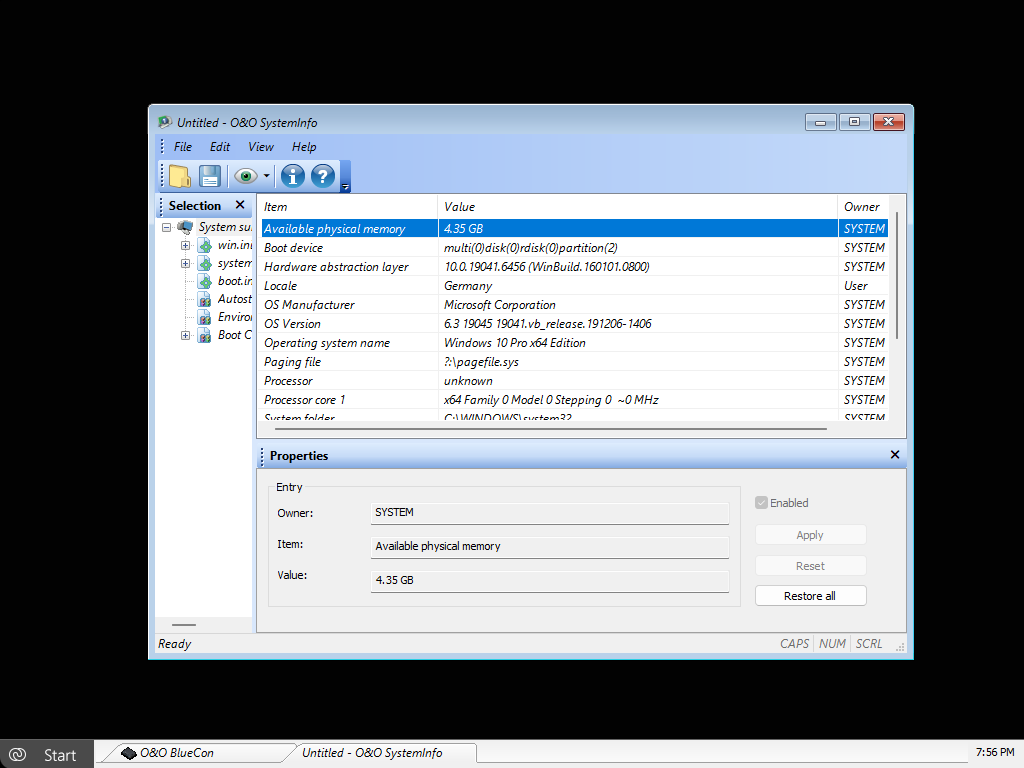
To open O&O SystemInfo, click Start / Programs / Administration / System Information.
The Boot Configuration Data (BCD) for Windows Vista and newer Windows versions is only supported to a limited extent. The BCD store cannot be modified and is displayed for monitoring and analysis purposes only.
O&O SystemInfo provides, among other things, the following information:
- Configuration of win.ini
- Configuration of system.ini
- Configuration of boot.ini
- Startup entries
- Environment variables
A particularly important area is the overview of startup entries. This includes both programs from startup folders and entries from central startup locations in the Windows registry, such as:
HKEY_LOCAL_MACHINE\SOFTWARE\Microsoft\Windows\CurrentVersion\Run
HKEY_CURRENT_USER\SOFTWARE\Microsoft\Windows\CurrentVersion\Run
These locations are frequently abused by malware such as viruses, trojans, or spyware. Using O&O SystemInfo, startup entries can be selectively enabled or disabled to prevent the automatic execution of malicious or unwanted programs.
To edit system parameters, select an entry or configuration from the list. The corresponding parameter is displayed in the edit window and can be adjusted there.
To disable a system parameter, select the corresponding entry and clear the checkbox next to Enabled. The parameter remains stored but is no longer applied.
To delete a system parameter, select the desired entry so that its value appears in the edit window, and then remove it. Changes take effect immediately.
O&O SystemInfo is particularly suitable for analyzing startup problems, cleaning up startup entries, and controlling system-relevant configurations in offline or emergency scenarios.