Installation and registration
Installing O&O Defrag is very easy. Please follow the steps below:
- Start the computer on which you would like to install O&O Defrag.
- Sign in as an administrator or equivalent.
- Start the O&O Defrag installation file that you downloaded from our web server or that is found on your CDROM.
- After the setup program has been successfully initialized, please follow the installation dialogue
Enter license
In order to activate O&O Defrag after installation or to gain access to the Full Version at a later time, you must possess a valid license key. This license key is also called a registration code, serial number, or product ID.
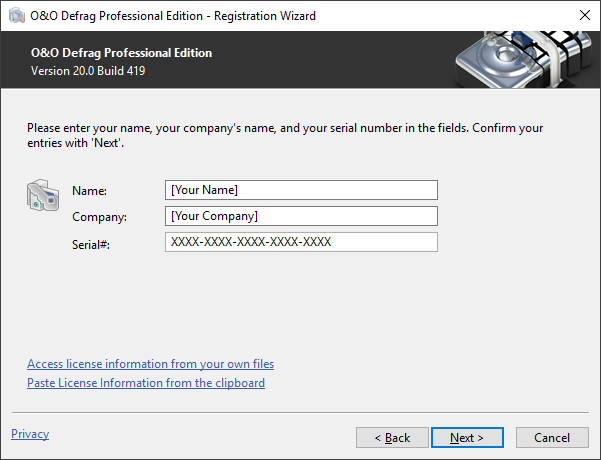
The dialogue for registration always appears automatically at the start to guide you if you are using an unregistered version or have entered the registration code incorrectly.
- The registration wizard allows for a simple registration process.
- When you select the option I want to enter my license, a dialog box will appear where you can enter the registration code you received when purchasing the software.
If you have purchased the download version of the software, please enter the license information ("Name", "Company" and License key), just as they are written in the confirmation E-Mail you received.
If you have purchased the box version of the software, please enter the license key as it is written on the license card included. In addition, please enter your name and if needed your company. - Please make sure that you do not confuse the digit “1” with “I” or enter any empty spaces where they don’t belong.
- Press Next to save the registration data or Cancel to leave the dialog window without saving the data.
- When you have correctly entered the license code you will receive a confirmation in the dialog window.
If you encounter problems while entering your license key, please contact our Support: support@oo-software.com
If do not enter a valid license key, you will be able to use O&O Defrag as a test version for a limited time only.
Updates/Installing Updates of O&O Defrag
O&O Defrag automatically checks if a new version is available whenever it’s started.
If there is a new program version, you will be able to update your version.
You can find your license data and the exact version number you’re using by clicking About O&O Defrag in the Ribbon Bar at Info.
So-called Minor-Updates (Version 19.1 to 19.2, 19.0 to 19.5, etc.), where smaller changes in the program have been made, are free. Major updates, such as from version 19 to 20, must generally be purchased.
Online registration
To register online, you'll need the license key you received when you purchased the program.
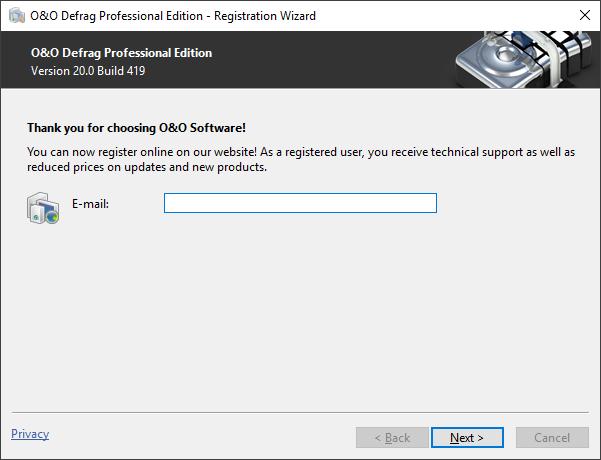
To register online, start . The questions related to online registration always appear at the start, provided you haven’t registered online.
What are the advantages of online registration?
Online registration gives you the benefit of having your customer data kept safely in our files, which means we can provide you with even better service. If, for example, you accidentally lose your license key, we can quickly resend it to you without any problem. The license key is needed for using the full version of a program, getting updates, and for reinstalling the program when you make a new setup of your computer.
Further advantages will let you:
- Be supplied with the latest information about our products
- Make free updates on new versions of purchased items (minor updates)
- Upgrade to a new version at a special discount price (major update)
- Obtain support from our customer service
- And much, much more...
How do I register online?
If was purchased on our Online Shop, you’ve automatically registered with us. If purchased at a retailer, you will be asked if you want to register while entering the license information. You then have the option of either registering immediately or at another time. All you’ll need is a functioning Internet connection and a valid license key.
You may also complete the registration form right here:
Just return the completed online form by clicking “Send” and you’ll be eligible to take full advantage of our O&O Customer Service.