Run, pause, and stop optimization
Manual optimization runs an action for the drives you select. Use it for an immediate task or when you need a specific method.
Start an operation
- Open Drive Optimization and select the intended volumes.
- Analyze them if their results are missing or outdated.
- Open the method menu and choose a method, or enable the Advisor's automatic choice.
- Read any explanation, prerequisite, or confirmation.
- Start the operation and follow its status.
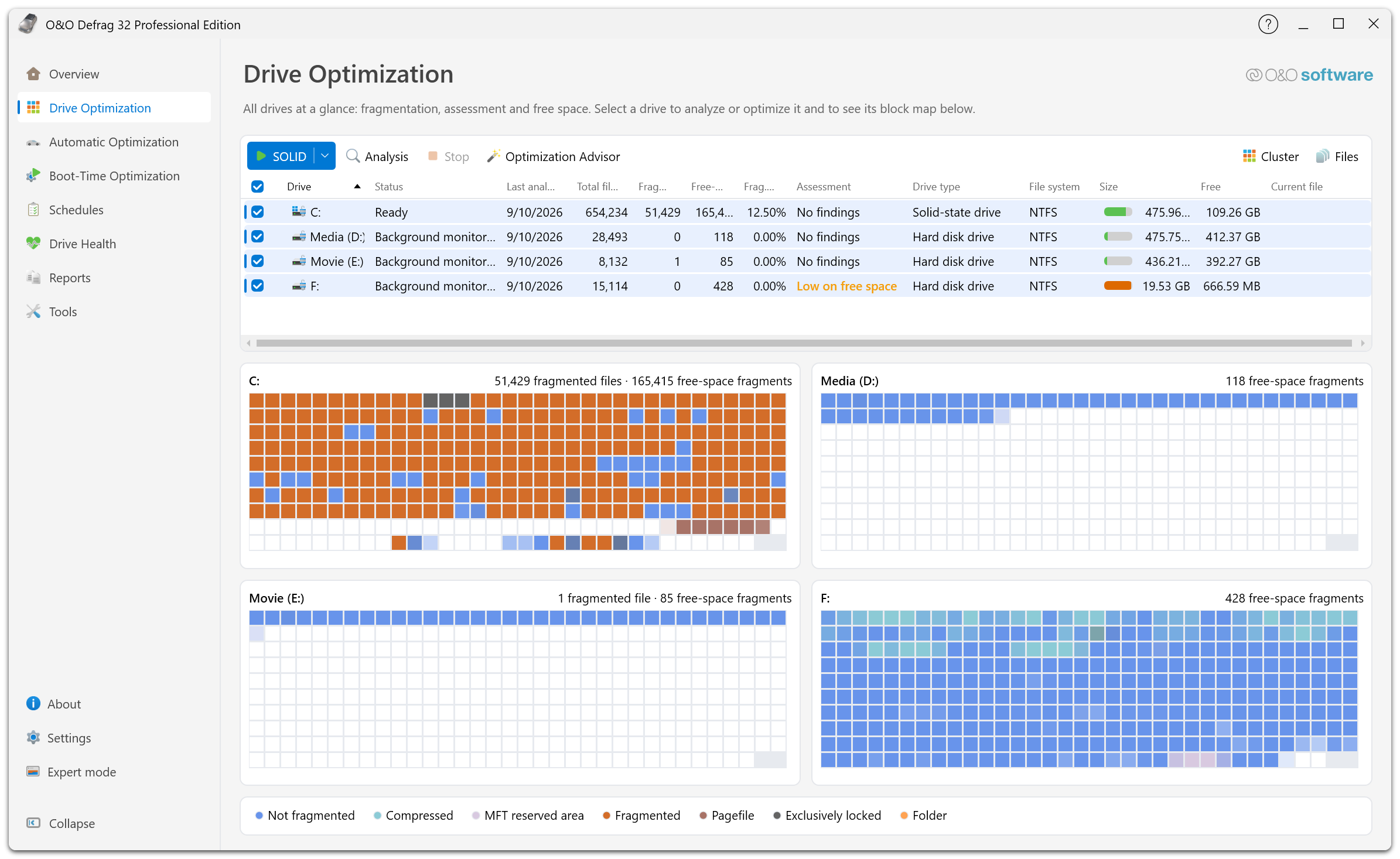
With several drives selected, Drive Optimization shows one block map per drive instead of a single large one. The check box in the column header selects every drive at once — worth a second look before you start a method that moves a lot of data.
For a first run, prefer the Optimization Advisor. Check the detected media type before applying a traditional HDD sorting method.
Follow progress
The drive status identifies the action and its progress. A multi-pass method, such as SOLID/Complete, can change its displayed phase during the run. A pause in visible progress can occur while a large file is being processed or system-load limits are taking effect.
Do not start a second operation merely because the map has not changed recently. Inspect the status and any message first.
Pause or stop
Where the interface exposes Pause, use it to suspend the selected operation temporarily, then resume when you are ready. Use Stop to end an action. Wait for the agent to acknowledge the change; an operation can need time to finish its current work.
Stopping is not an undo: file placement already completed remains in place. Analyze again if you need a current picture before another run.
Closing the main window does not serve as a reliable stop command because the background agent performs the work. Use explicit run controls and check the status.
Keep working during a run
Use the Advisor's Stay responsive goal or lower the application load limits in Settings → Performance. A lower limit can extend the run. Avoid disconnecting external storage while it is active.
For a scheduled maintenance window, configure a job's own Activity Monitor, maximum runtime, and power conditions.
Finish and verify
When the operation ends, review the result in Drive Optimization and Reports. If files remain fragmented, inspect the reason before running a more intensive method. See ROI, file rules, and boot-time optimization.