ROI factor and fragmentation reporting
The ROI factor compares the benefit of removing file-fragment boundaries with the amount of data that would need to be rewritten. It lets SOLID skip files whose small benefit does not justify the writes.
For example, moving a very large file stored in three large pieces can require far more writing than consolidating a small file split into thousands of pieces. A remaining fragment count is therefore not, by itself, a failure.
Optimization setting
Open Settings → Optimization and review Only optimize files whose benefit justifies the write operations (ROI factor).
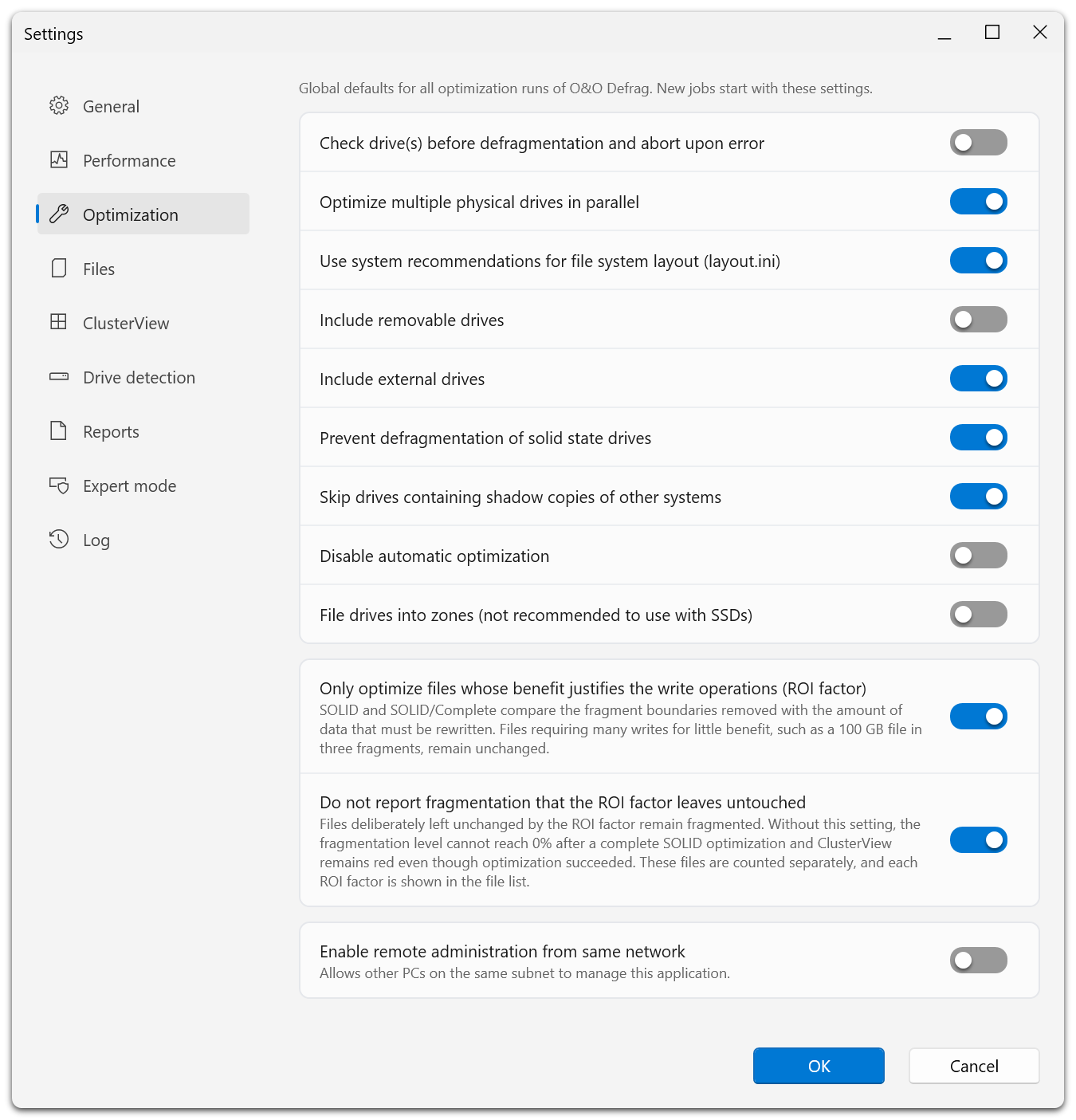
The two ROI settings sit in their own group below the general optimization options, each with the explanation the application gives for it. The example named there is a 100 GB file stored in three fragments: consolidating it would cost a great many writes for very little benefit, so SOLID leaves it alone.
This option is enabled by default. It affects SOLID and SOLID/Complete. Other methods do not use this option to decide whether to optimize a file.
Jobs have their own corresponding setting. Check an existing job separately; changing global defaults does not mean every saved job has changed.
Reporting setting
Do not report fragmentation that the ROI factor leaves untouched prevents deliberately skipped fragmentation from dominating the drive's fragmentation value and red coloring in ClusterView.
This reporting option is also enabled by default and is available while the ROI optimization option is on. It affects how analysis and optimization present fragmentation. It does not secretly move or remove files.
The files remain available for inspection and are counted separately. Files that could not be optimized because they were locked or because space was insufficient are not made successful by this setting.
Inspect a file
Open FileInspector or ClusterInspector and review the ROI factor along with file size and fragment count. Use the displayed explanation to understand why a file was left untouched.
When comparing reports
Keep reporting settings consistent. Disabling the reporting option and analyzing again can raise the displayed fragmentation without any change to file placement.
If you need a full picture of remaining fragmentation, change the reporting option deliberately, analyze again, and interpret the result in that context. Turning off the optimization protection can increase writes; do so for a specific maintenance objective, not just to improve a displayed percentage.