File exclusions and inclusions
Use file rules to control which files participate in optimization. Global rules are under Settings → Files; each saved job also has a Files tab.
Exclude files or folders
- Open the appropriate global or job Files page.
- Go to Excluded files and folders.
- Choose Add and enter a path or mask, or pick files and folders.
- Review the list.
- Confirm Settings or save the job.
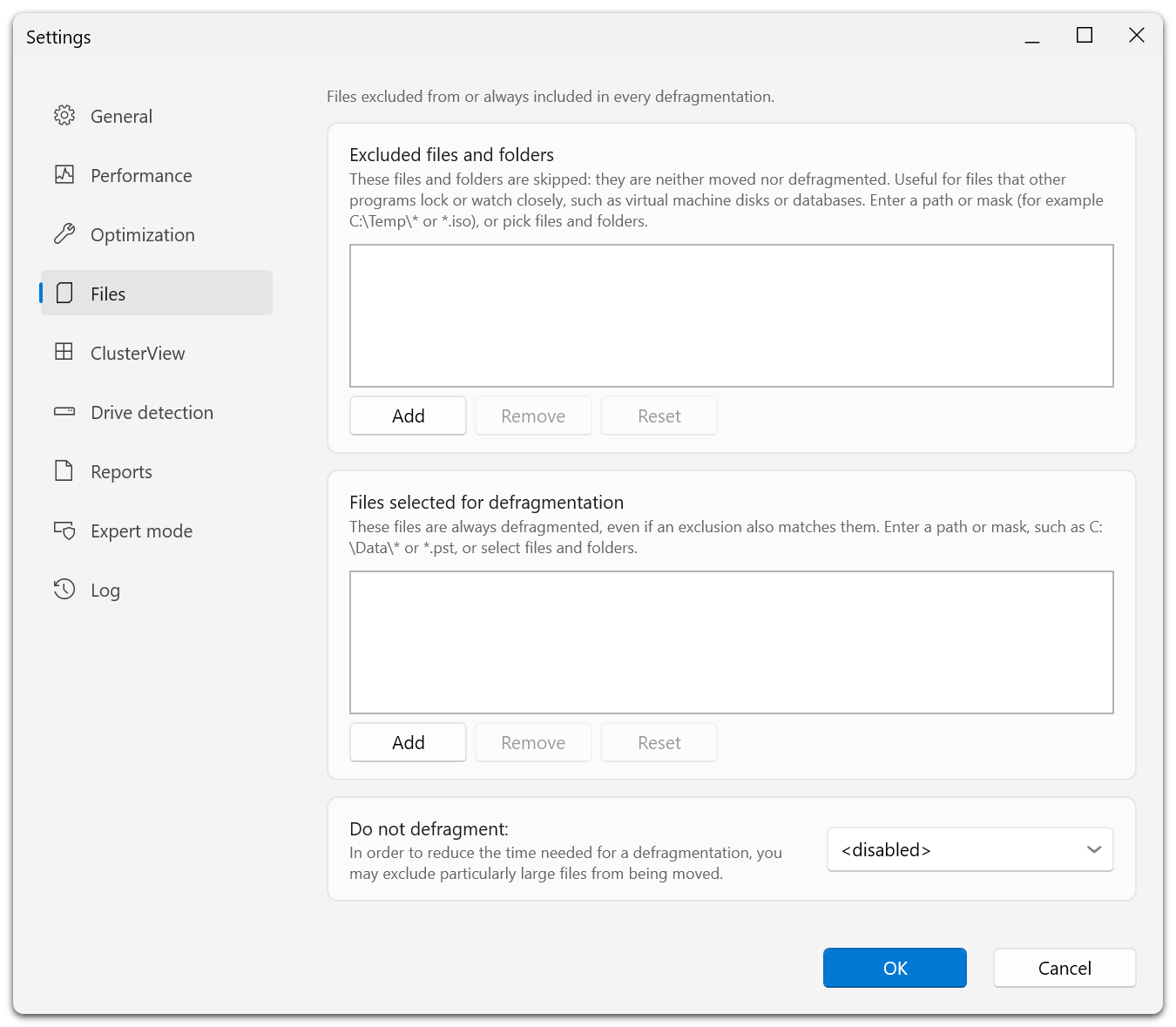
The page has two lists. Entries in Excluded files and folders are neither moved nor defragmented. Entries in Files selected for defragmentation are always defragmented, even when an exclusion matches them as well. Do not defragment at the bottom is the separate size filter.
Examples:
| Rule | Intended selection |
|---|---|
C:\Temp\* | Contents under the selected temporary folder. |
D:\VirtualMachines\* | Files under a virtual-machine folder you do not want normal optimization to move. |
*.iso | Files matching the ISO filename mask. |
D:\Data\archive.bin | One explicitly named file. |
The file/folder picker adds a file as its path and a folder as a path ending in \*. An access-denied entry means the picker could not enumerate it; do not assume it is empty.
Include files that must participate
The inclusion list is labeled Files selected for defragmentation. These files are included even when an exclusion also matches them.
For example, a broad exclusion for D:\Data\* can be overridden by an inclusion for a particular file inside that folder. Check both lists if a supposedly excluded file is still processed.
Inclusions do not make a locked file movable or guarantee that every other eligibility condition is satisfied. Avoid using this list as a way to bypass a file's application-level requirements.
Exclude large files
Use Do not defragment to choose a file-size threshold. The <disabled> value turns off that size filter. A threshold can shorten runs by avoiding very large files, but leaves those files outside the intended optimization.
This is separate from the ROI factor, which evaluates benefit relative to writing cost.
Edit, reset, and verify
Select a rule and choose Remove to delete it. Reset restores the list's defaults; inspect the resulting list before confirming.
After saving, run an analysis and an appropriate maintenance task, then inspect file information and the report. Remember that new jobs inherit defaults at creation; changing global rules does not automatically rewrite all existing job rules.