Settings Reference
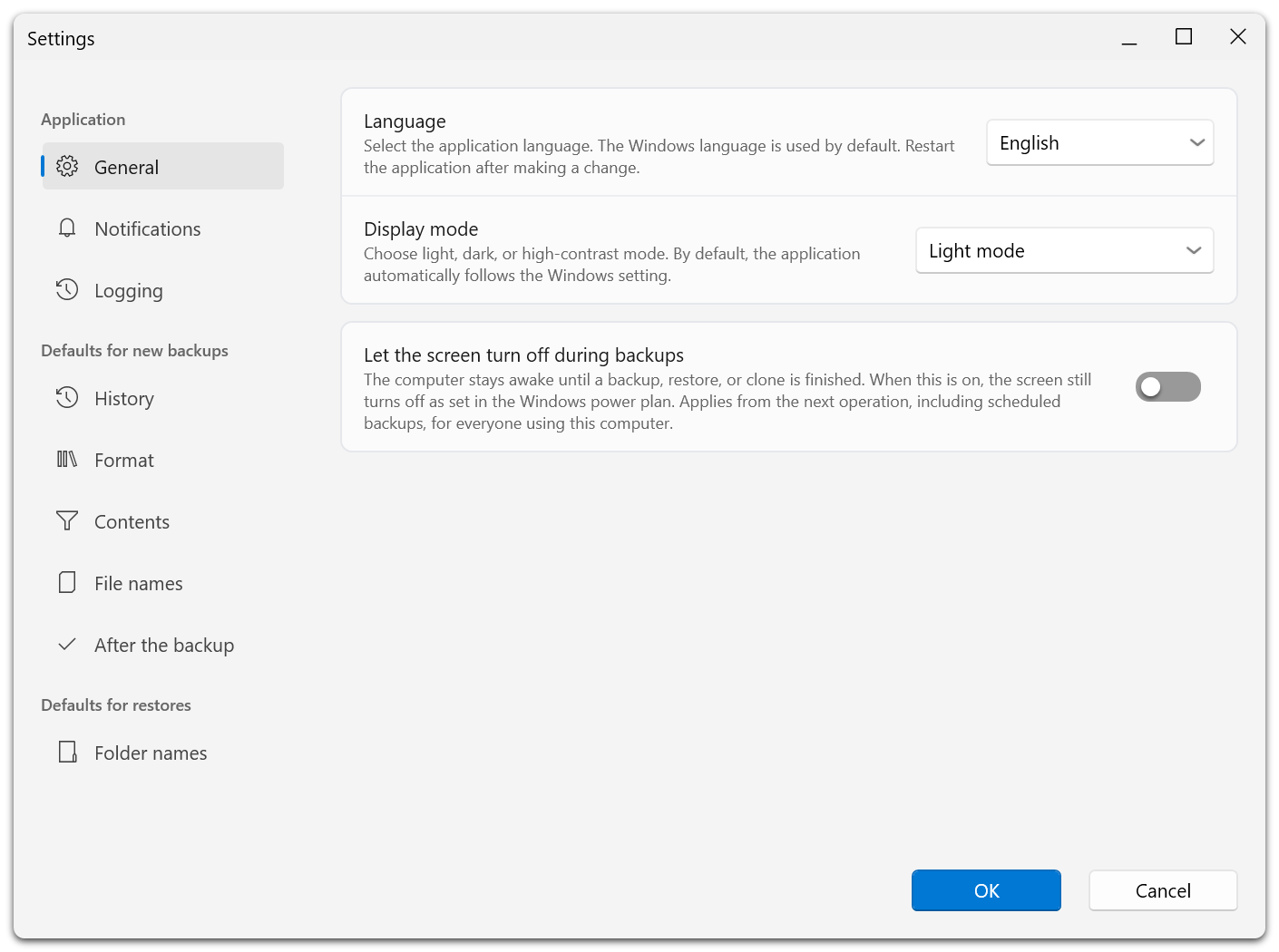
Settings brings application preferences, defaults for new backups, and restore defaults into one dialog. Defaults apply to new plans. To change an existing plan, open its Properties.
Confirm the dialog to save changes. Cancel discards pending edits; actions such as sending a test email or showing dismissed recommendations take effect when selected.
Application Settings
| Page | Settings |
|---|---|
| General | Language, appearance, and whether the display may turn off during operations. |
| Notifications | Desktop result notifications, whether the protection rating includes the system backup, email notifications, and showing dismissed recommendations again. |
| Logging | Application and engine logging for diagnosis. |
| Advanced | Support and maintenance options; visible when Settings is opened while holding Shift. |
Allowing the display to turn off does not allow the PC to sleep during a backup or transfer. Wake-from-sleep behavior is configured separately in each schedule.
Changing the language can require an application restart. Language changes are unavailable in the recovery environment.
Email Notifications
Under Notifications, enter the SMTP server, port, STARTTLS setting, login details, sender, and recipients. Enable notifications and send a test email. Failures are reported when notifications are enabled; messages after successful runs are optional.
The background service stores the email configuration and sends the messages. If a password is already stored, leaving its field blank keeps it. The settings page indicates when the service is unavailable.
Defaults For New Backups
| Page | Purpose |
|---|---|
| History | Retention presets or custom rules, backup method, and full-backup cadence. |
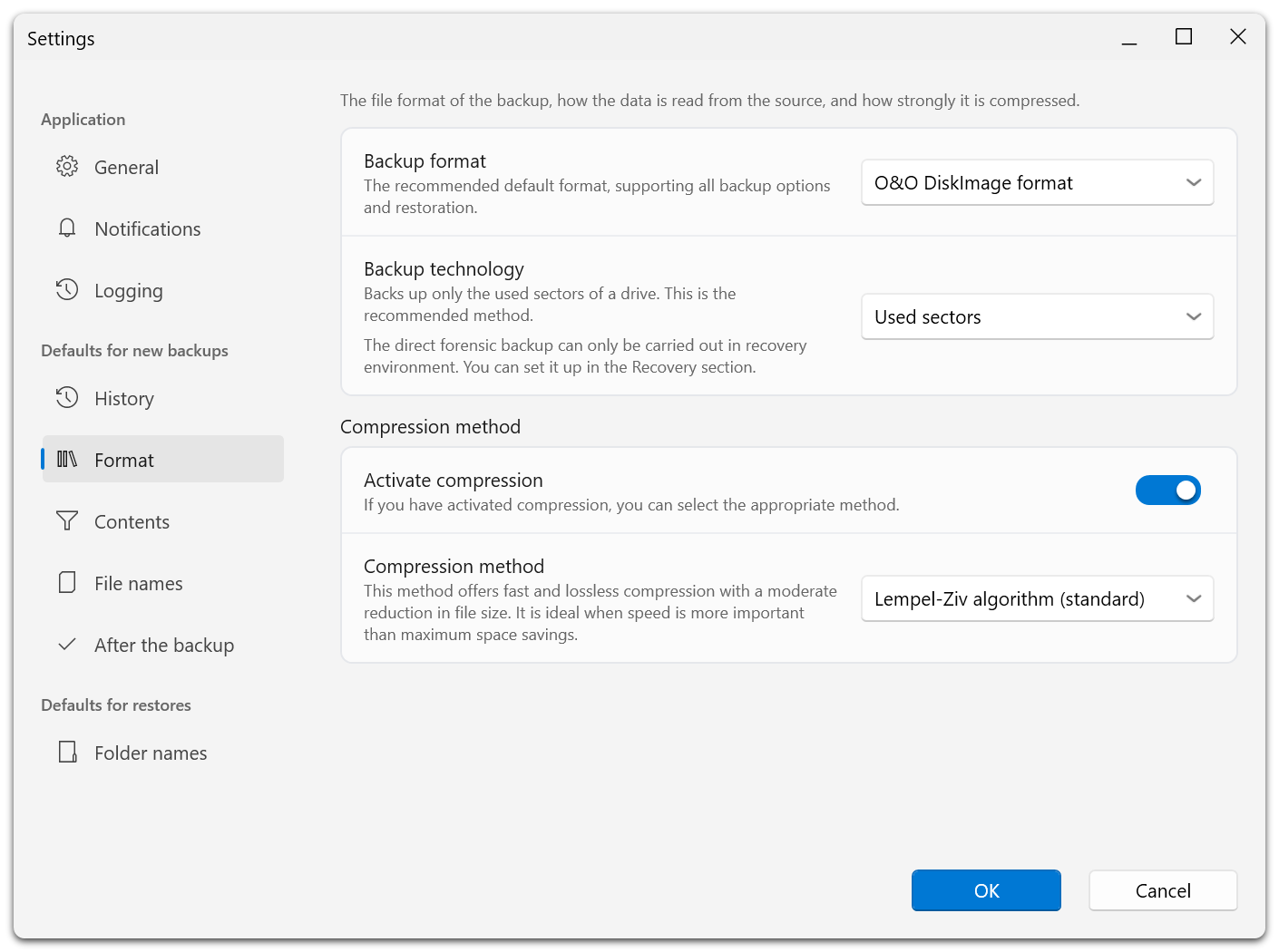
| Format | O&O DiskImage, VHD, or VHDX; image technology and compression. |
| Contents | Excluded files and folders. |
| File names | Templates for backup folders and file names. |
| After the backup | Validation and report generation. |
The same option pages are available for an individual plan, with a note showing which settings you are editing. Image-format and technology controls do not apply to file backups. ZIP deflate is not offered for drive images.
For plans with saved versions, encryption, format, technology, and exclusions are locked even if the backup storage is offline. See Backup Options.
Defaults For Restores
Folder names controls the templates for folders used when restoring files. Review the resolved destination in the restore workflow before starting.
Backup Destinations
Manage local folders, external drives, network shares, and cloud-copy destinations in the separate backup destinations dialog. Drag the destination handles to reorder the list. See Backup Destinations.
Diagnostics And Maintenance
Enable logs when investigating a problem or when support requests them. Engine-log changes can require a restart.
Advanced options include re-reading backup information at the next start and resetting user settings. Read the dialog's explanation before applying them. Recovery-partition validation no longer has a separate skip switch.