Save files
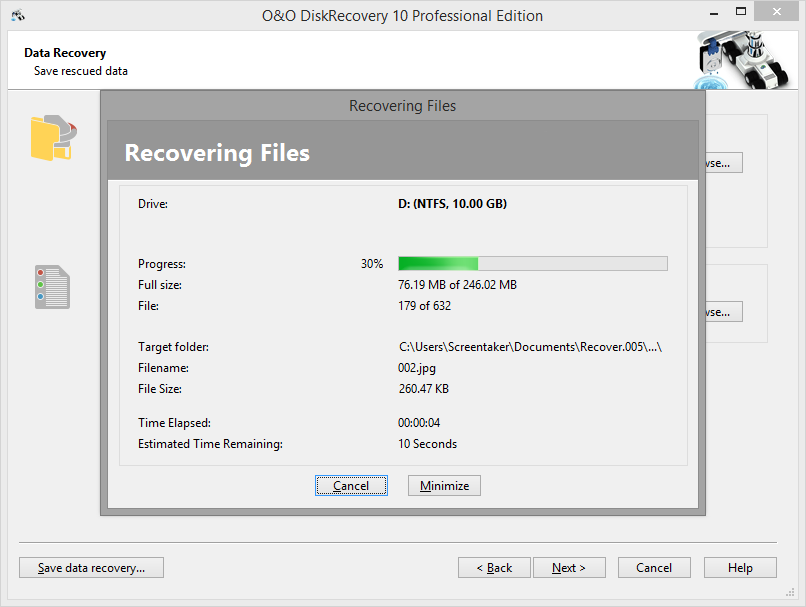
While the recovered files are being saved to their target folder, O&O DiskRecovery keeps you up-to-date by way of a convenient dialog box. Information, such as overall progress and the total size of the saved files, is displayed in real-time as the operation progresses.
The elapsed time, as well as the estimated time remaining, can also be found here.
O&O DiskRecovery can be Minimized in to the System Tray. Pressing Cancel will interrupt the saving operation. When the operation is interrupted you will be returned to the previous page of the assistant where you will be given the option of changing the target directory and reselect the files to be recovered. Please note that all files that have already been successfully saved will be unselected so that you can continue to save files where you left off.
Complete the data recovery
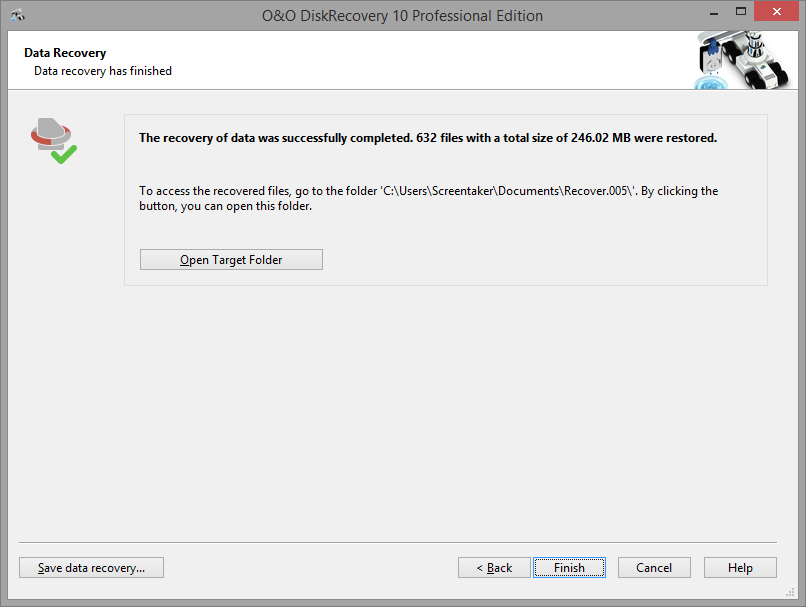
After the successful recovery of files is completed, a summary of the data recovery will appear. From here you can Open Target Folder and immediately access the restored files.
By clicking Finish O&O DiskRecovery will be closed.