Delete the entire computer
The function SafeErase entire computer enables you to permanently delete an entire computer without needing to create a boot CD first. All data, settings, programs, etc. will be gone forever - a restoration is impossible.
Permanently deleting your entire computer enables you to SafeErase your data when you sell, give away, or throw away your computer. You can rest assured that nobody will be able to restore and abuse your data.
After confirming the deletion, you will be asked to restart your computer. The actual deletion process will be executed during restart.
Please bear in mind that data deleted with O&O SafeErase cannot be restored, not even with the use of special software or hardware. Please bear this in mind to avoid accidental deletion of you data!
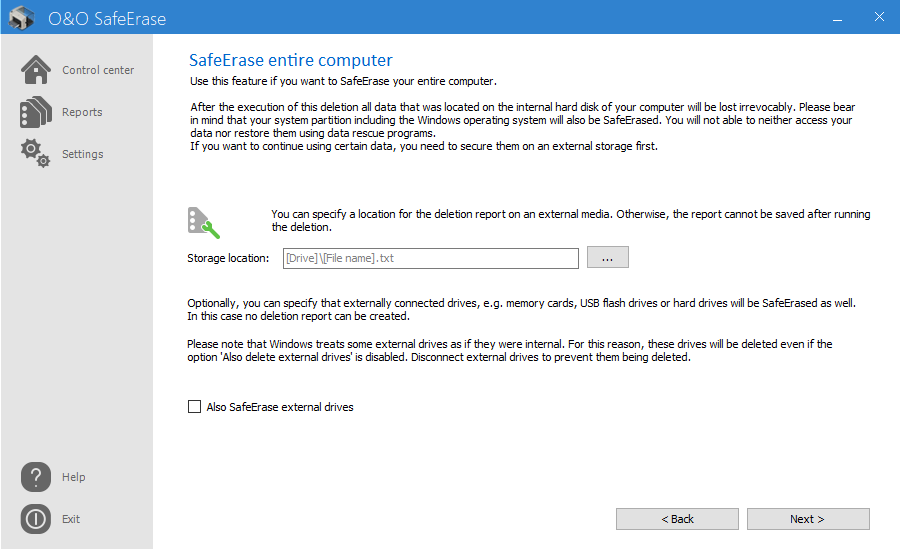
Start deleting the entire computer
- Select SafeErase entire computer in the start page.
- Optionally, you can also specify to also include external drives while permanently deleting your entire computer.
- By clicking on Run you will get to selection of the Deletion method.
- After selecting the deletion method you can start the deletion with SafeErase now.
- After confirming the first security checks, you will have to enter a six digit security code in the second security prompt.
- If you confirm the dialogue, the deletion process will start and all data will be erased irrevocably from your computer.
The function SafeErase entire computer erases all data from your computer without additional boot disk type media. Once you have confirmed the execution of this function, all data on your computer will be deleted, after which all data and settings will be lost.
If you need a report after a deletion you need to save it on an external storage medium. For this, please enter a storage location. Please make sure that there is no check next to O&O SafeErase external drives.
Security check
Before SafeErasing your entire computer you will need to confirm various security prompts. Follow the instruction in the dialogs. You can cancel at anytime to avoid the unnecessary deletion of your computer.

Please bear the Warnings in mind and confirm the security prompts if still sure. When the computer reboots all data will be SafeErased this can take up some time. Please do not turn off the computer during this process, otherwise the deletion process might not be completed correctly.
Completing the deletion process
After the security prompts, you will be asked to restart the computer. During the restart, all hard disk drives connected to the computer will be deleted permanently. The system partition is always left as last. Please bear in mind that a deletion process once started cannot be cancelled.
After completing the deletion, the computer will restart. On the screen you will see an error message informing you that no operating system could be found. You can now install a new operating system or sell it. All data is SafeErased.