O&O ShutUp10 Documentation
Welcome to the official documentation for O&O ShutUp10 — the free and premium antispy tool for Windows 10 and Windows 11 by O&O Software GmbH.
What is O&O ShutUp10?
O&O ShutUp10 gives you full control over the privacy settings in Windows 10 and Windows 11. It allows you to decide which unwanted functions should be deactivated, keeping your personal data private. The tool manages a wide range of Windows privacy and telemetry settings in a single, easy-to-use interface — no deep registry knowledge required.
Key Benefits
- Full privacy control — Manage almost 300 privacy-related settings in Windows 10 and Windows 11.
- No installation required (Free Edition) — Run it directly as a portable application.
- Clear recommendations — Each setting includes a recommendation level so you know what is safe to change.
- Undo changes at any time — All modifications can be reverted with a single click.
- Completely free (Free Edition) — The Free Edition is and will remain free of charge.
Editions Overview
O&O ShutUp10 is available in two editions, each designed for different use cases and environments.
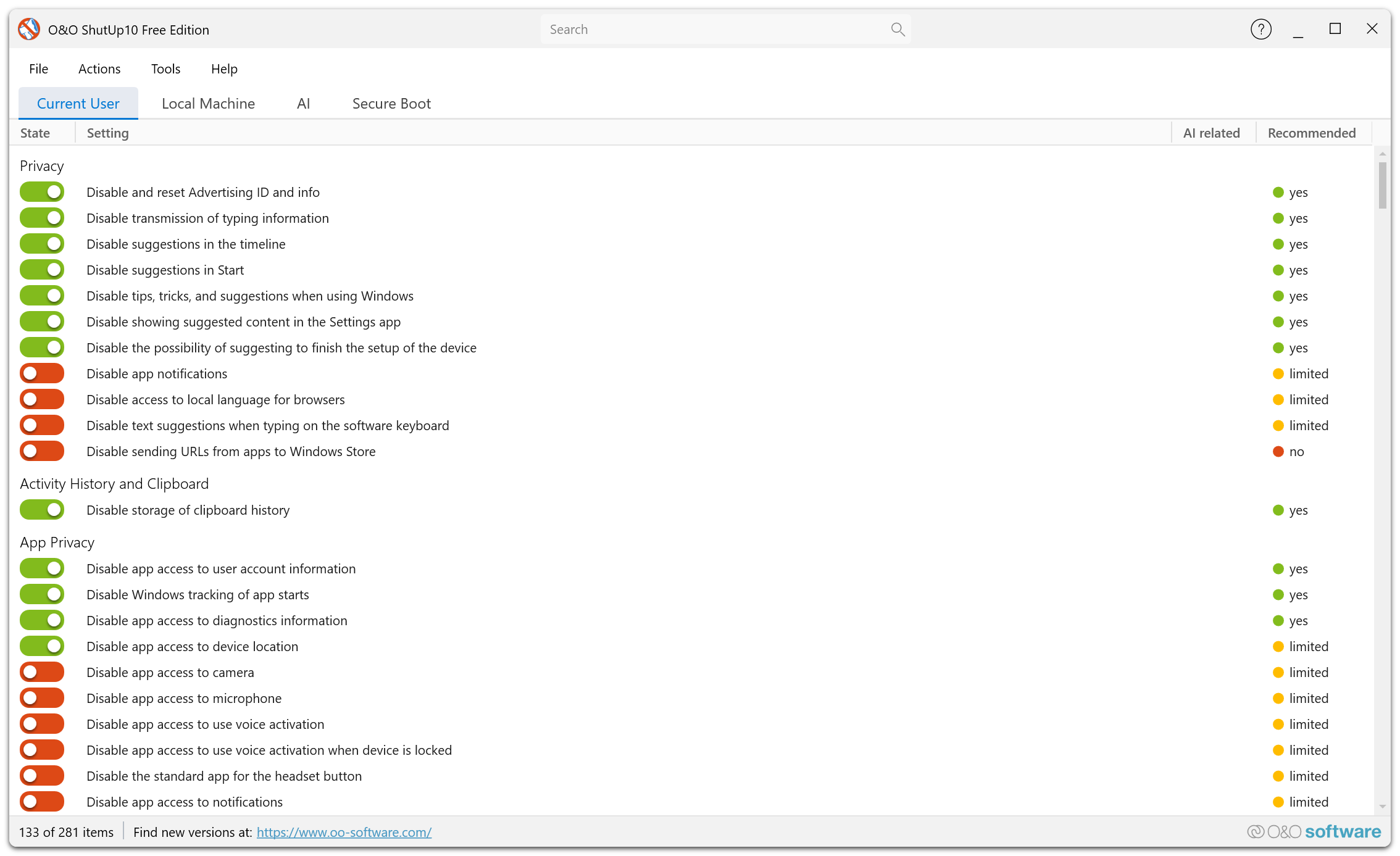
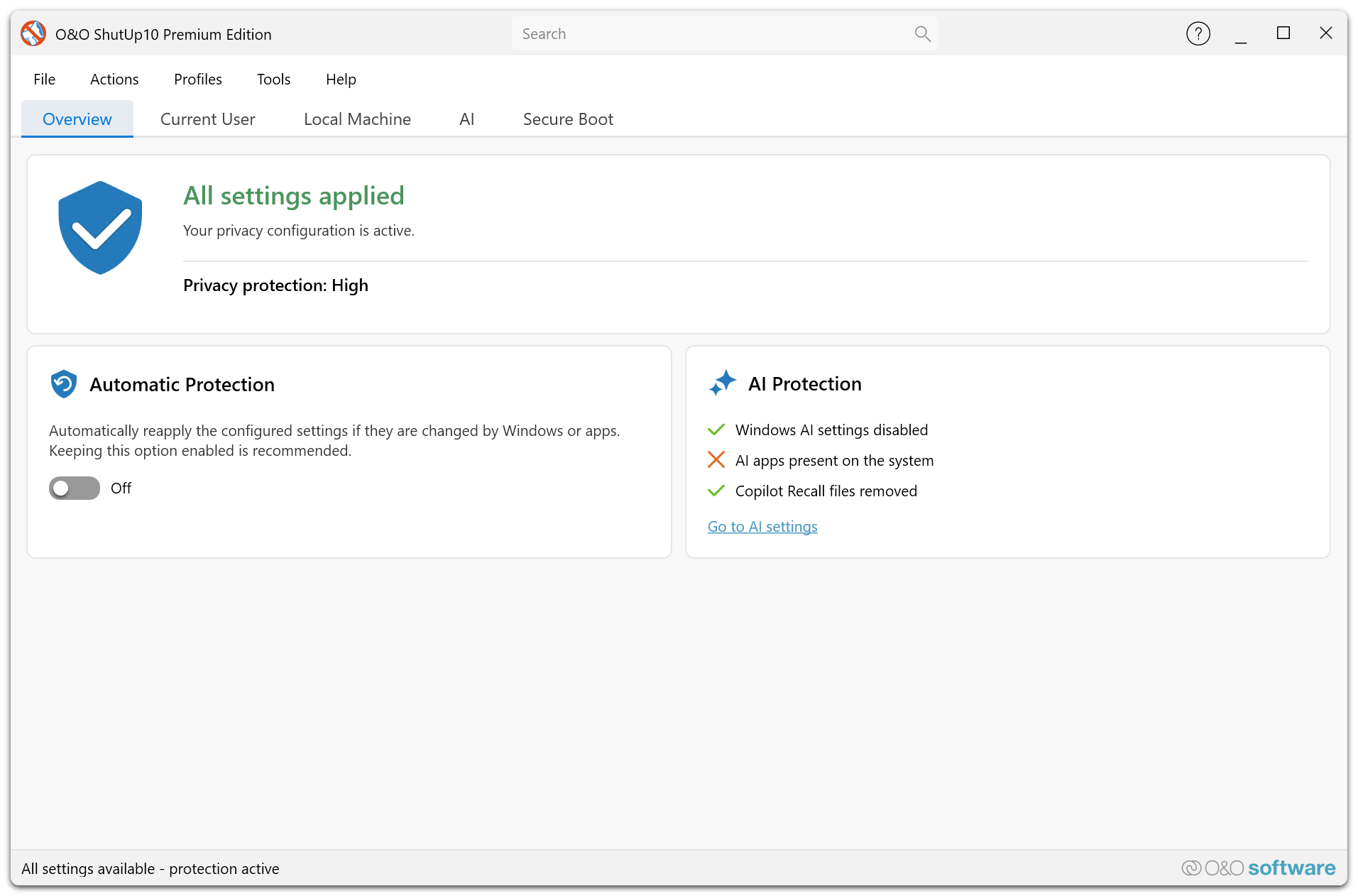
Free Edition
The Free Edition is a portable, standalone tool that requires no installation. It is a powerful choice for individual users who want full, immediate control over their Windows privacy settings — covering nearly 300 settings with clear recommendations and zero cost.
- Portable — runs directly from the executable, no setup needed.
- Full privacy settings coverage — the same ~300 settings as the Premium Edition.
- Each privacy change is applied interactively by the user.
- Requires administrator rights for every execution, since it modifies system-level settings.
- Perfect for home users, privacy audits, and individual workstations.
➡️ Learn more about the Free Edition
Premium Edition — Stay private. Forever.
The Premium Edition is designed for professional and enterprise environments. It uses a client/service architecture that provides automatic and proactive privacy protection — ensuring your settings stay enforced even after Windows updates.
- Uses a client/service model — the service runs in the background and applies settings automatically.
- Proactive protection — automatically re-applies your preferred settings after Windows updates or policy changes.
- Does not require end-user administrator rights — the background service handles all privileged operations.
- Ideal for corporate environments, managed workstations, and IT departments.
➡️ Learn more about the Premium Edition
How to Use This Documentation
Use the sidebar navigation to explore features and find detailed information:
- Free Edition and Premium Edition sections describe the specific capabilities and workflows of each edition.
- The Features section covers all privacy and configuration settings. Features exclusive to the Premium Edition are marked with a Premium badge.