Premium Overview Premium
The Premium Overview is a dual-purpose page in the O&O ShutUp10 Premium Edition that serves as both the initial setup entry point and the ongoing status dashboard. It is displayed in the main window as the primary tab when the Premium Edition is running.
Overview
The Premium Overview operates in two distinct modes depending on the current state of the application:
- Setup Mode — Displayed when the Premium Edition has not yet been fully configured (e.g., after a fresh installation or when the background service is not yet connected).
- Overview Mode — Displayed once the initial setup is complete and the service is running, providing a real-time summary of protection status and key metrics.
The page automatically transitions from Setup Mode to Overview Mode once all required configuration steps have been completed.
Setup Mode
Setup Mode guides the user through the initial configuration of the Premium Edition after installation.
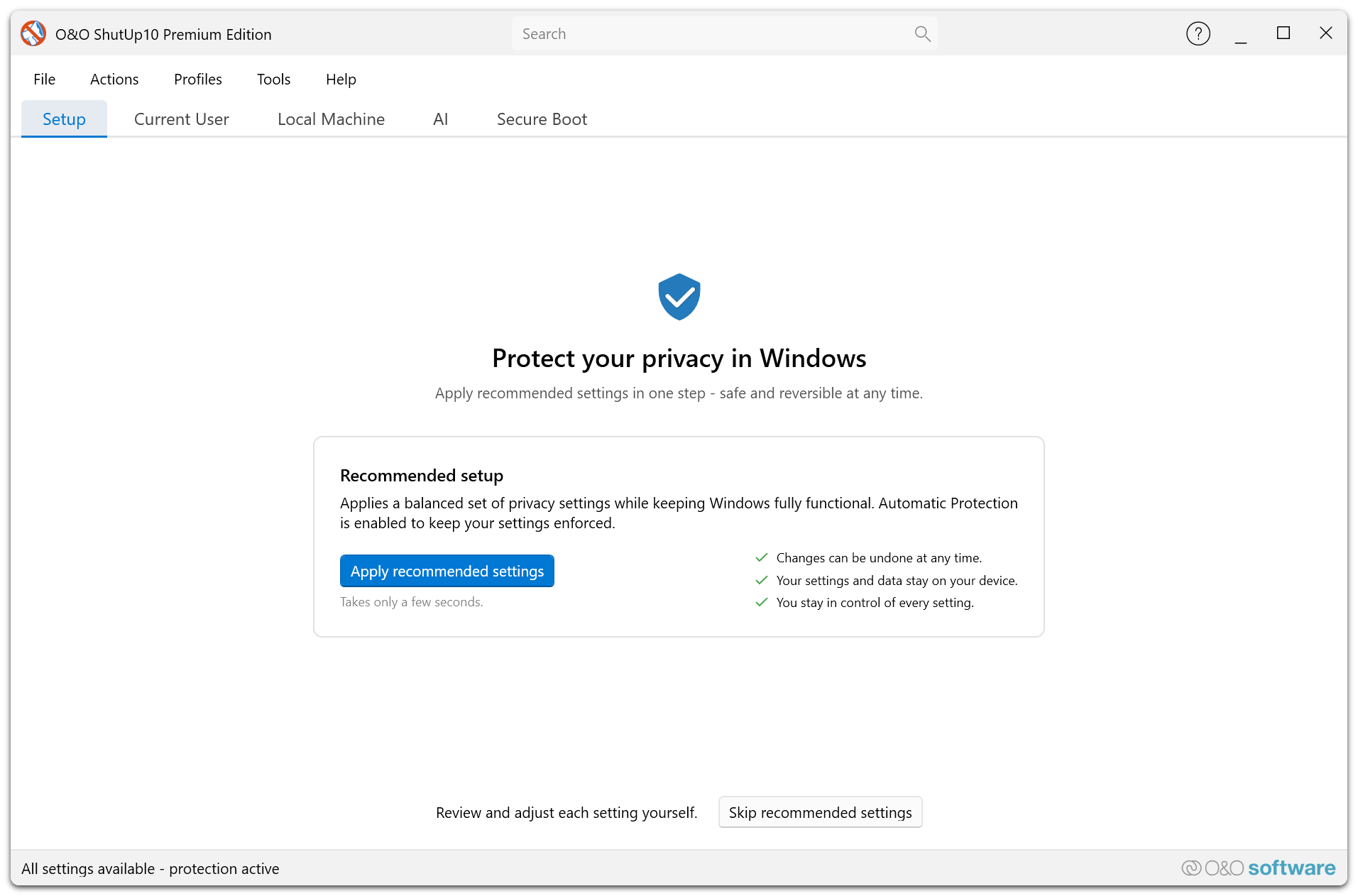
When the Premium Edition is launched for the first time — or when the background service has not yet been configured — the Premium Overview displays a guided setup workflow. This mode ensures that all prerequisites are met before automatic protection begins.
What Setup Mode Covers
| Step | Description |
|---|---|
| Service Installation | Verifies that the O&O ShutUp10 background service is installed and registered with Windows. |
| Service Connection | Confirms that the client application can communicate with the background service. |
| Initial Profile Selection | Prompts the user to select a privacy profile (e.g., Recommended Settings) as the baseline configuration. |
| First Application | Applies the selected profile to establish the initial privacy configuration on the system. |
Accessibility
Setup Mode is designed for users who may not have administrator rights. The background service handles all privileged operations, so the setup workflow does not require UAC elevation from the end user.
When Setup Mode Appears
- After a fresh installation of the Premium Edition.
- If the background service is uninstalled or unavailable.
- If the service connection is lost and cannot be re-established.
Once all setup steps are completed successfully, the Premium Overview automatically transitions to Overview Mode.
Overview Mode
Overview Mode provides a real-time dashboard of the current protection status and service health.
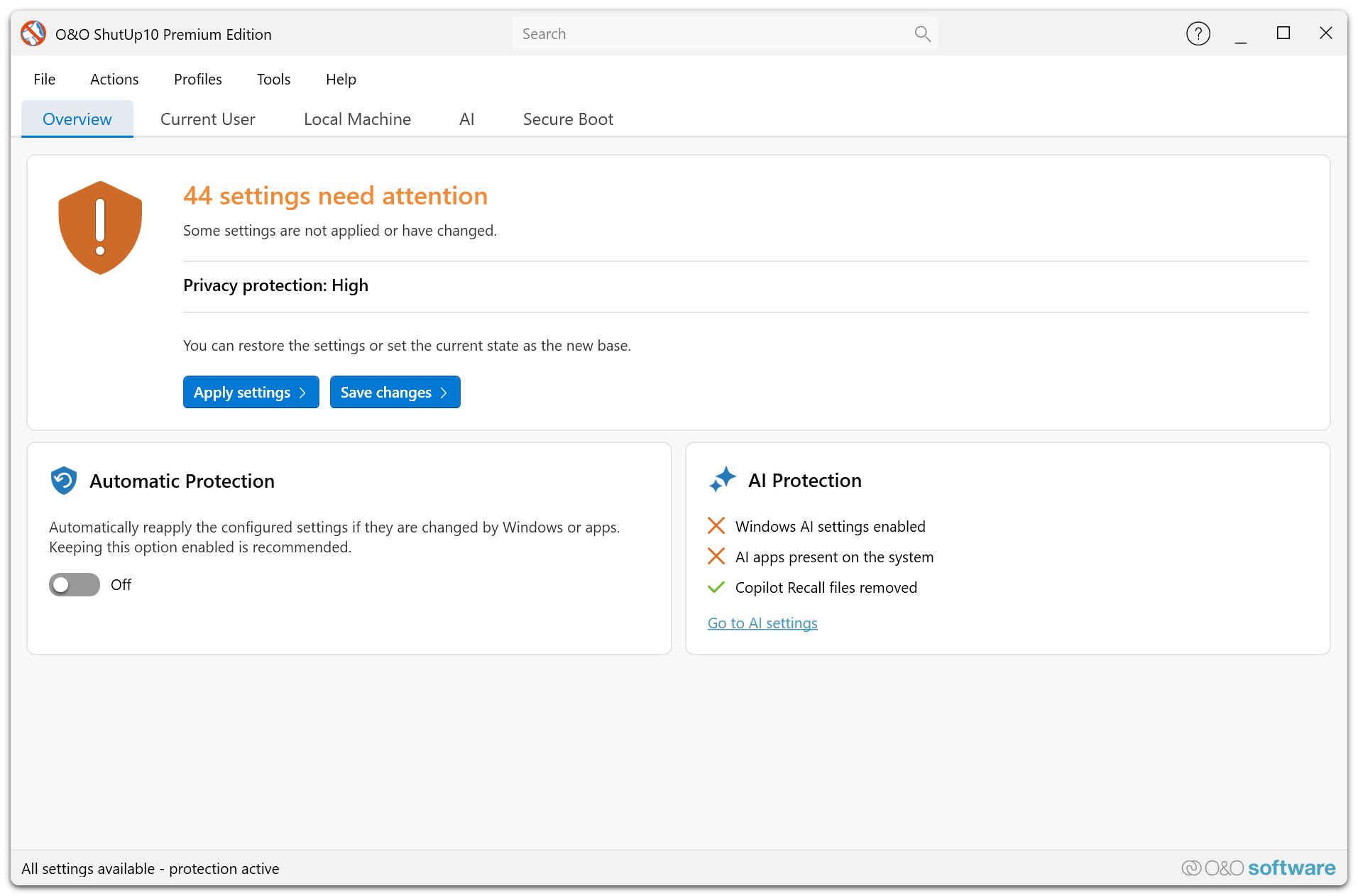
Once the Premium Edition is fully configured, the Premium Overview displays a summary view that gives users immediate visibility into the state of their privacy protection.
Dashboard Elements
| Element | Description |
|---|---|
| Protection Status | Indicates whether automatic protection is currently active and enforcing the configured privacy settings. |
| Service Status | Shows whether the background service is running, stopped, or unavailable. |
| Active Profile | Names the profile that was applied, together with how completely it is currently in force — either fully applied, or how many of its settings are applied out of the total. If no profile has been applied yet, this is stated instead. |
| Last Enforcement | Timestamp of the most recent automatic re-application of privacy settings by the service. |
| Pending Changes | Number of settings that differ from the configured profile and are queued for re-application. |
Usage Scenarios
- Daily status check — Open the application and immediately see whether protection is active and the service is healthy.
- Post-update verification — After a Windows update, verify that the service has automatically re-applied your privacy settings.
- Troubleshooting — If the service status shows as stopped or unavailable, the overview provides a starting point for diagnosing connectivity or service issues.
Accessibility
Overview Mode uses high-contrast status indicators and clear labels to ensure readability across all supported App View Modes, including High Contrast Black and High Contrast White themes. Status information is presented in a structured layout that is compatible with screen readers.
Relationship to Other Features
The Premium Overview integrates with several other Premium Edition features:
- Automatic Protection — The protection status and last enforcement time reflect the state of the Automatic Protection service.
- Profiles Editor — The active profile shown in Overview Mode corresponds to the profile managed through the Profiles Editor.
- Settings Dialog — Service-related configuration (notifications, hybrid mode, autostart) is managed through the Settings Dialog.
If the Premium Overview remains in Setup Mode after installation, verify that the O&O ShutUp10 service is installed and running. Check Windows Services (services.msc) or consult your IT administrator.